Citizen Portal

Once you have completed the required setup, the citizen portal provides citizen access to the Parks & Rec application. The user interface for the application varies according to the settings defined in the System Setup programs.
When you access Parks & Rec, the application assesses your browser and displays a message if it detects a browser that does not provide optimal compatibility.
Key components of a citizen-facing page are easy access to the current list of activities, a registration option, and a shopping cart with a check out option. Your organization may determine how to present these features and also may customize graphics that display. The following is an example of a citizen portal home page.
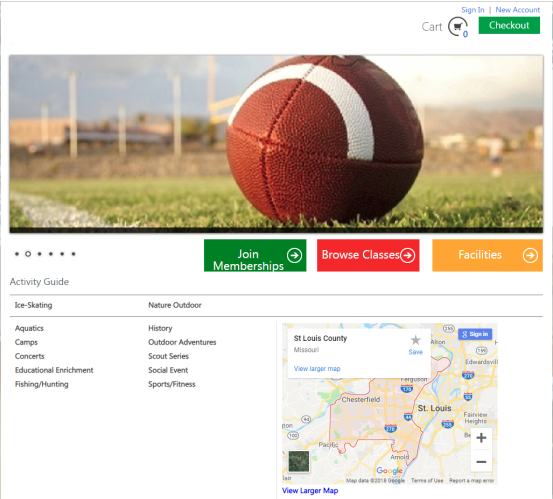
Note: For any accounts logged in as a coach, a Teams link appears at the top of the page. The link navigates to the Coach's Corner page.
To learn more about a portal feature, click the corresponding link below or under the Citizen Portal heading on the menu to the left.